

The terms LCMS, CMS, and LMS can be confusing and often swirl together like a linguistic puzzle. In this blog, you will know about Learning Content Management System (LCMS), Content Management System (CMS), and Learning Management System (LMS). Additionally, you will also learn about their key features, roles and differences.
A Learning Content Management System is a combination of CMS and LMS.
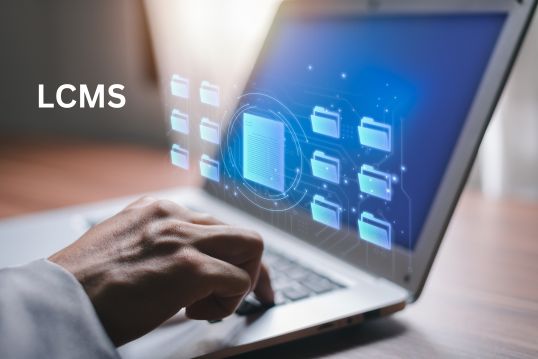
An LCMS is a computer-based system that helps teachers or trainers handle all aspects of educational content. Think of it as a virtual workspace designed for creating, organizing, and distributing learning materials. In simpler terms, it’s like a one-stop-shop for everything related to teaching and learning.
Subscribe now to get regular blog updates in your inbox.
With an LCMS, educators can easily develop lessons, quizzes, and other educational content. It’s a handy tool because it allows them to update and manage these materials efficiently. This means that students always have access to the most up-to-date information. Trends in technology have influenced the way these systems operate, offering innovative features that enhance the teaching and learning process. In essence, an LCMS acts as a centralized online platform that simplifies the process of teaching and learning by bringing all the necessary tools and resources together.
Here’re the 6 important features of a Learning Content Management Sytem:
| 1 | Centralized Content Management | Efficiently organizes and stores educational materials in a central location. |
| 2 | Omni-Channel Publishing | Seamlessly publishes content across diverse channels and platforms. |
| 3 | Rapid Authoring & Content Reuse | Enables quick content creation and repurposing of existing materials. |
| 4 | Collaborative Authoring & Review Workflows | Supports teamwork through collaborative tools for content creation and reviews. |
| 5 | Comprehensive Content Analytics | Provides in-depth analytics to track learner engagement and assess content effectiveness. |
| 6 | Enterprise-Level Security | Ensures robust security measures to safeguard educational content and user data. |
The roles associated with a LCMS involve various responsibilities to ensure the effective creation, management, and delivery of educational content.
Here are the key roles:
1. Administrator
Responsible for overseeing the overall configuration, management, and maintenance of the LCMS. Administrators handle user access, system settings, and ensure the platform operates smoothly.
2. Content Creator/Author
Individuals tasked with developing educational content within the LCMS. They create lessons, quizzes, and other learning materials, often utilizing the system’s authoring tools.
3. Reviewer/Approver
Users who assess and approve the content created by authors. Reviewers play a crucial role in maintaining quality and accuracy before content is published or made available to learners.
4. Learner/Student
End-users of the system who engage with the educational content. Learners access lessons, complete assignments, and interact with the platform to acquire knowledge and skills.
5. Instructor/Teacher
Educators who guide and support learners using the LCMS. Instructors may assign lessons, track student progress, and utilize analytics to assess the effectiveness of the content.
6. System Integrator
Professionals responsible for integrating the LCMS with other tools, systems, or platforms. They ensure seamless connectivity and interoperability, enhancing the overall functionality of the educational ecosystem.
7. IT Support
Individuals who provide technical assistance and support for users encountering issues with the LCMS. IT support ensures the system operates effectively and resolves any technical challenges users may face.
Looking to shape your digital landscape? See Our CMS Services now!
These three acronyms might sound similar, but they play distinct roles. LCMS, or Learning Content Management System, helps with learning materials. CMS, Content Management System, deals with general content, and LMS, Learning Management System, focuses on training.
The LCMS is dedicated to the creation, organization, and dissemination of educational content. With a specialized focus on learning materials, LCMS provides tools for content creation, version control, collaboration, and analytics specific to educational contexts. It introduces roles like content developers and reviewers, tailoring its functionality to the unique needs of educators.
Examples of LCMS
Here’re two top examples for Learning Content Management System:
1. Adobe Captivate Prime
Adobe Captivate Prime is an LCMS that empowers organizations to create, manage, and deliver a wide range of learning content. It offers features like content creation, version control, and analytics tailored for training and education.
2. Moodle
While often categorized as an LMS, Moodle also incorporates LCMS features. It enables educators to create and manage learning content in addition to administering courses. Moodle is an open-source platform widely used in educational institutions.

On the other hand, the CMS is a versatile platform designed for managing various types of digital content. Its broader scope includes features for content creation, storage, version control, and publication across different platforms, with common roles such as administrators and content creators.
Key Roles of CMS
Here’re some important roles of Content Management System:
Examples of CMS
Here’re two top examples for Content Management System:
1. WordPress
WordPress is a widely recognized CMS known for its versatility. It powers a significant portion of the internet and is extensively used for creating and managing websites, blogs, and various digital content.
2. Drupal
Drupal is another robust CMS that offers extensive features for content creation, storage, and publication. It is known for its flexibility and is often chosen for building complex and highly customizable websites.
Meanwhile, the LMS zeroes in on the administration, tracking, and delivery of educational courses and training programs. LMS includes roles like instructors, learners, and administrators, emphasizing its role in managing the learning experience, tracking student progress, and facilitating online or blended learning environments.

In essence, LCMS is tailored for educational content, CMS is general-purpose for diverse digital content, and LMS is specifically focused on administering and tracking the learning process. Each plays a distinct role within the broader landscape of content and education management.
Key Roles of LMS
Here’re some important roles of Learning Management System:
Examples of LMS
Here’re two top examples for Learning Management System:
1. Canvas by Instructure
Canvas is a popular LMS used in educational institutions. It provides tools for course administration, content delivery, student tracking, and collaboration. Canvas is known for its user-friendly interface and scalability.
2. Blackboard Learn
Blackboard Learn is a widely used LMS in higher education. It facilitates course management, content delivery, and communication between instructors and students. It includes features like discussion forums, quizzes, and grade tracking.
Let’s briefly explore the tools associated with each of these systems:
| LCMS | CMS | LMS |
| Adobe Captivate | WordPress | Moodle LMS |
| Articulate 360 | Joomla | Canvas by Instructure |
| Moodle | Drupal | Blackboard Learn |
| Blackboard Learn | Wix | TalentLMS |
| Elucidat | HubSpot CMS | Adobe Captivate Prime |
Ready to streamline your content management? Request a quote on CMS Development Services now.
In this exploration of Learning Content Management Systems, Content Management Systems, and Learning Management Systems, we’ve untangled the web of acronyms to reveal their individual roles. LCMS crafts engaging learning materials, CMS manages general content, and LMS oversees training initiatives. While these systems have their unique purposes, it’s crucial to recognize their collective impact in shaping the digital landscape.
Share This Post
Would you like to transform your dream venture into reality?
Web development has undergone significant evolution in recent years. Traditional approaches, where content…

Running a business without a website is like keeping your doors closed when…

A clear understanding of what constitutes a hostile work environment helps both employees…

Transform your digital footprint & accelerate your business growth with InvoXico Technologies, a leading web development company
and your trusted partner for comprehensive digital marketing solutions.
 INDIA
INDIA


 USA
USA ©2018-2025 Invoxico Technologies. All rights reserved.